My Entire Content Setup Costs Less Than a Dinner Out

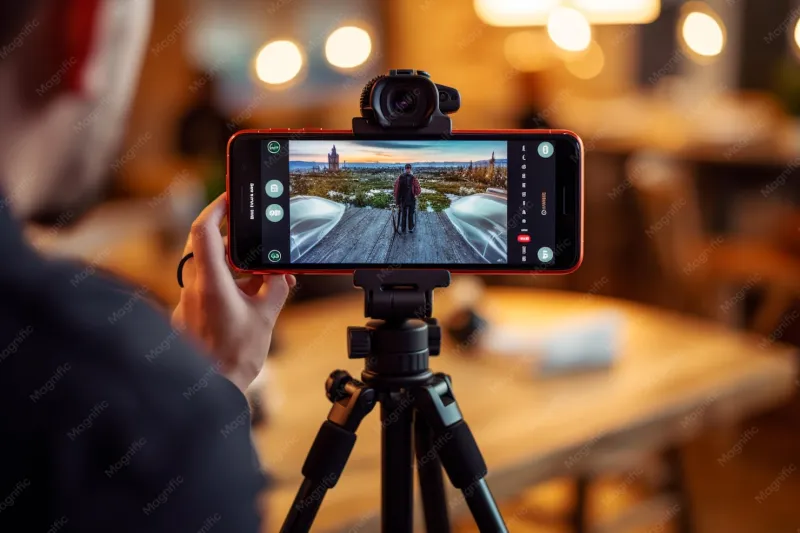
Photo: Mywifequit, CC BY-SA 4.0, via Wikimedia Commons
The most common DM I get is some version of: 'How do you afford your gear?' And every time, I feel a little guilty answering, because the truth is my most-used tools cost less than a night of takeout.
When I started, my 'studio' was a corner of my living room and whatever light the window gave me. What I learned — through a lot of unflattering test footage — is that polished content is less about money and more about intention. Here's the exact budget setup I still use today.
The $12 That Changed Everything: Foam Board
A white foam board from Dollar Tree (two for $3, so technically $3) is my reflector, my backdrop, and my bounce light. Prop it opposite a window and it softens shadows on your face instantly. Stand it behind your subject and suddenly you have a clean, bright backdrop that reads 'studio' on camera.
Add a $9 pack of peel-and-stick wall hooks and a thrifted tablecloth ($0–$5), and you can build endless backdrop looks without repainting a single wall.
Before/after: my first talking-head videos had harsh half-shadow faces and a beige wall behind me. Same camera, same window — but with foam board bounce and a textured backdrop, the footage looks like I paid for lighting. Total spend: under $10.
Lighting: Free Beats Fancy (At First)
I shot with a ring light for one year before realizing my window was better. Here's the free routine:
- Face the window, never sit beside it or in front of it. Direct window light is the most flattering, most expensive-looking light that exists, and it costs nothing.
- Shoot within two hours of midday on overcast days — clouds are nature's softbox.
- At night, one clamp lamp with a daylight bulb (~$8 at any hardware store) pointed at a white wall creates soft, bounced light. Never point a bare bulb straight at your face.
That's it. That's the lighting setup.
The Apps Doing the Heavy Lifting
Editing is where budget content either levels up or falls apart. My free-tier stack:
- CapCut — my main editor for Reels and TikToks. Auto-captions, trending audio, and the text animations that make low-budget footage feel current.
- Lightroom Mobile (free tier) — one-tap presets give phone photos a consistent, editorial look. Consistency is what makes a feed look 'expensive,' not any single photo.
- Canva Free — thumbnails, media kit pages, story graphics. The free templates are genuinely good if you customize the fonts.
- Tezza's free filters or VSCO's free tier for a cohesive color grade across everything.
The trick with all of them: pick one preset or filter and never deviate. A consistent look reads as professional. A different filter per post reads as chaos, no matter how good each one is.
The Props Nobody Guesses Are Cheap
- Grocery store flowers ($5–8): eucalyptus and baby's breath last two weeks and photograph like a florist arrangement.
- A marble contact-paper sheet ($6): turns any table into a 'kitchen island' for product shots.
- Thrifted ceramics and books: three items, styled in odd numbers, instantly styled shelf.
- Plain printer paper: folded cards with handwritten labels make product flatlays look boutique.
When to Actually Spend Money
In fairness, there comes a point where upgrades pay off. My priority order: a phone tripod ($20) before any light, a wired lavalier mic ($20) before any camera, and a real backdrop only after those. Audio and stability read as 'professional' faster than image quality ever will.
But until the income shows up? Foam board, a window, and CapCut will absolutely carry you. Mine carried me for two years — and nobody ever guessed the difference between my '$3 studio' and a real one.